 Meta Business Partner
 WhatsApp API Official
The Best Robo Call for Your Business
Send Automated Voice Calls to Thousands of Numbers at Once
Deliver reminders, notifications, and important updates through pre-recorded voice calls. Schedule once, reach thousands of numbers, and track the results from a single dashboard.
- 5-minute setup
- WhatsApp support 24/7
- Indonesian local server


Why Are Manual Calls Hard to Rely On?
As the list of numbers to reach keeps growing, calling manually drains agent hours without a matching return.
Reminder Calls Are Still Manual
Agents dial one number at a time just to deliver the same reminder, so their hours go to repetitive work.
Phone Reach Is Too Slow
How many numbers you can reach is capped by agent capacity, so important information often arrives late.
Agents Repeat the Same Message
Reading the same script over and over makes delivery inconsistent and wears the team down.
Reach Thousands of Numbers Without Adding Agents
Four robo call features that help your business deliver information faster and more consistently.
Automated Voice Calls
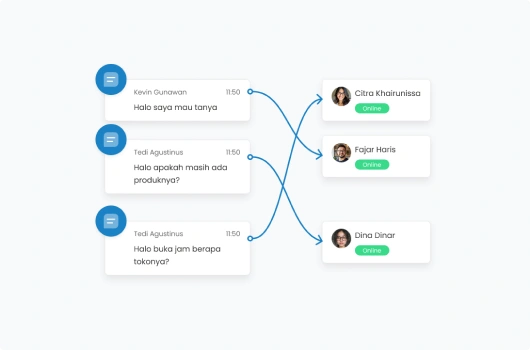
The system dials your number list automatically and plays the message the moment a call is answered, with no agent waiting on the line.
Calls run automatically without an operator
Message plays as soon as the call connects
Automatic retry when a call goes unanswered
Call capacity is not limited by agent headcount
Pre-Recorded Voice Messages
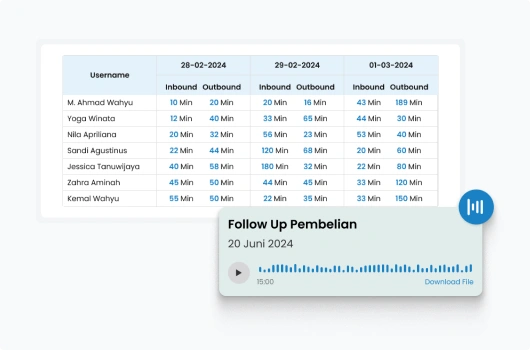
Record the script once and reuse it across every call, so the wording and delivery stay exactly the same.
Upload or record messages inside the system
Store multiple recordings for different needs
Consistent message on every single call
Swap the recording without touching the number list
Bulk Call Scheduling
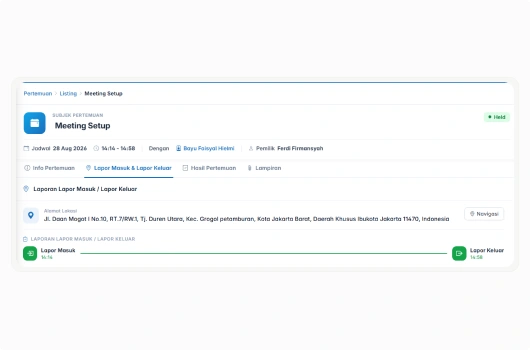
Set the number list and the send time, then let the system run the calls at the hour you choose.
Import number lists in bulk
Set the send date and time
Run recurring calls on a schedule
Pause or change the schedule at any time
Call Result Reporting
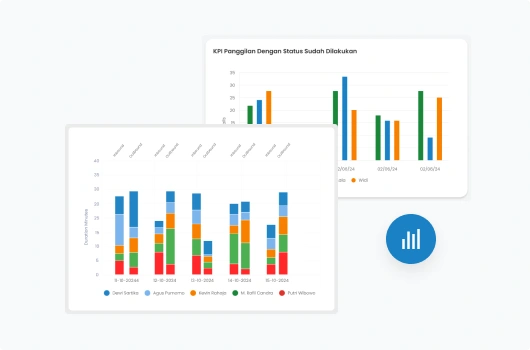
See which numbers answered, were unreachable, or need follow-up, with a summary for every call schedule.
Call status per number
Summary for every call schedule
Export reports for deeper analysis
Call data stored in the CRM
Robo Call Ready for Your Operations Team
Businesses use Barantum to deliver information by voice call quickly and measurably.
Fast Reach
Thousands of numbers reached in a single call schedule.
Consistent Message
Every recipient hears exactly the same message.
Measurable Results
Every call status is recorded and can be reviewed.
Connected to CRM
Call history is stored alongside customer data.
Robo Call Pricing for Your Business
Try every plan for free. Upgrade anytime, no complicated contracts.
Standard
For teams starting to use automated voice calls for routine reminders.
- Automated voice calls
- Centralized customer database
- Mobile CRM app (iOS & Android)
- Basic call result reporting
- WhatsApp Business API integration
Professional
For teams running scheduled bulk calls at high volume.
- Everything in Standard, plus:
- Bulk call scheduling
- Full reporting & data export
- Custom reports & advanced analytics
- API integration with other systems
Enterprise
For enterprises with custom workflow and integration needs.
- Everything in Professional, plus:
- Custom workflow & approval
- Dedicated account manager
- Dedicated SLA & onboarding
Trusted by 1000+ Businesses in Indonesia
How Barantum helps businesses to increase profits, time efficiency, and customer satisfaction


50%
Improved Customer Response
Barantum Omnichannel increases the productivity of the Oasis team in responding to customer inquiries from many channels.

Andri Dwi Yulianto
Customer Service Assistant Manager
PT Oasis Waters International


85%
Improved Call Center Performance
With the open & close ticket system, we know the percentage of cases handled to ensure maximum service.

Dian Melinda Arifin
Founder
PT Jackal Holidays


85%
Customer Service Improvement
Barantum helps Rokue boost efficiency by 85% by preventing WhatsApp messages from piling up or being missed.

Inne Rettiani
Sales Marketing Manager
Rokue
Questions About Barantum Robo Call
A robo call is an automated phone call that plays a pre-recorded voice message to many numbers at once. It runs without an agent, which makes it a fit for reminders, notifications, and any information that is the same for every recipient.
A robo call plays a recorded message and needs no agent, while an auto dialer places the call and then connects it to an agent for a live conversation. Robo call is for one-way information; auto dialer is for conversations.
The number of calls per schedule depends on your plan and the channel capacity you use. Our team will help size it against your call volume.
Yes. You can upload an existing audio file or record the message directly in the system, then save it for use in later call schedules.
The system records it as unanswered and can retry based on your settings. Numbers that stay unanswered appear in the report so your team can follow up.
Yes. The status and history of every call are stored alongside customer data in Barantum CRM, so your team has the context when following up.
Yes. You can try Barantum for free with no credit card, or schedule a demo with our team to see the robo call flow against your business needs.
Ready to Send Your Automated Voice Calls?
Automated calls, recorded messages, bulk scheduling, and result reports. Try it free, no credit card.
No credit card, quick setup, local Indonesian support