 Meta Business Partner
 WhatsApp API Official
The Best Outbound Call Routing for Your Business
Decide the Path of Every Outbound Call by Rule
Set which number and trunk carry each destination, keep a backup path ready when a route fails, and see the outcome in your routing report.
- 5-minute setup
- WhatsApp support 24/7
- Indonesian local server


Why Do Outbound Calls Keep Going Wrong?
With no clear rules, call paths get picked at random and failures only surface once customers complain.
Outbound Calls Take the Wrong Path
Calls leave through a number or trunk that does not suit the destination, pushing costs up and success rates down.
Trunk Failures Go Unhandled
When one route breaks, calls simply fail with no redirection, and the team only notices after many calls are already lost.
Call Distribution Is Inefficient
Load piles onto certain routes while others sit idle, so the capacity you already pay for goes unused.
Take Full Control of Your Outbound Call Paths
Four outbound call routing features that keep outbound calls flowing and under control.
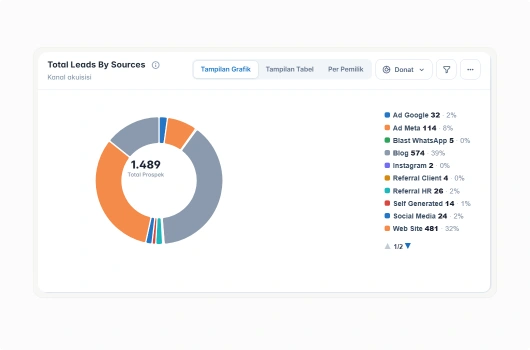
Rule-Based Outbound Routing
Decide which path is used based on the call destination, the team placing the call, or the time it is made.
Rules based on call destination
Separate paths per team or division
Different paths per operating hours
Change rules without swapping hardware
Number and Trunk Selection
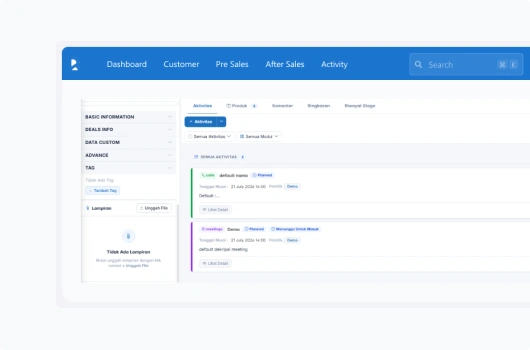
Choose the number shown to the recipient and the trunk that carries the call, so both identity and path fit the purpose.
Set the number shown to recipients
Pick a trunk per call type
Manage several trunks at once
Match the path to the destination
Call Path Failover
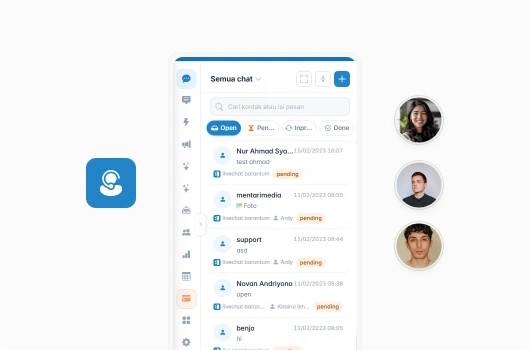
When the primary path fails, calls move to a backup route automatically so your team's work never stops.
Backup routes prepared in advance
Redirection happens automatically
Calls keep running when a trunk fails
Failover events logged for review
Routing and Call Result Reports
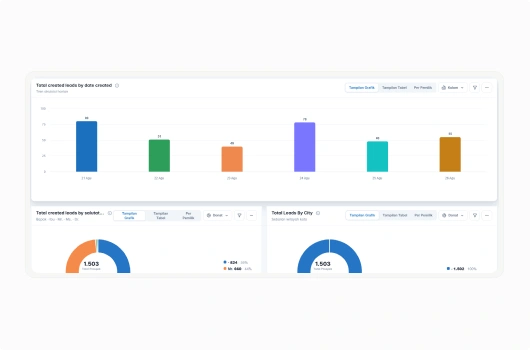
See which paths were used, how many calls succeeded, and where failures occurred, all in a single report.
Usage summary per route
Success rate per trunk
Trace where calls failed
Export reports for capacity reviews
Outbound Routing That Keeps Calls Running
Businesses use Barantum to stay in control of their outbound call paths.
Right Path
Every call leaves through the route your rules define.
Fault Tolerant
Failover keeps calls connected when a route breaks.
Balanced Load
Capacity across routes gets used more evenly.
Connected to CRM
Call outcomes sit alongside customer data.
Outbound Call Routing Pricing for Your Business
Try every plan for free. Upgrade anytime, no complicated contracts.
Standard
For teams starting to plan their outbound call paths deliberately.
- Rule-based routing
- Centralized customer database
- Mobile CRM app (iOS & Android)
- Basic routing reports
- WhatsApp Business API integration
Professional
For teams with several trunks that need failover and deeper reporting.
- Everything in Standard, plus:
- Failover across trunks
- Full call result reporting
- Custom reports & advanced analytics
- API integration with other systems
Enterprise
For enterprises with custom workflow and integration needs.
- Everything in Professional, plus:
- Custom workflow & approval
- Dedicated account manager
- Dedicated SLA & onboarding
Trusted by 1000+ Businesses in Indonesia
How Barantum helps businesses to increase profits, time efficiency, and customer satisfaction


50%
Improved Customer Response
Barantum Omnichannel increases the productivity of the Oasis team in responding to customer inquiries from many channels.

Andri Dwi Yulianto
Customer Service Assistant Manager
PT Oasis Waters International


85%
Improved Call Center Performance
With the open & close ticket system, we know the percentage of cases handled to ensure maximum service.

Dian Melinda Arifin
Founder
PT Jackal Holidays


85%
Customer Service Improvement
Barantum helps Rokue boost efficiency by 85% by preventing WhatsApp messages from piling up or being missed.

Inne Rettiani
Sales Marketing Manager
Rokue
Questions About Barantum Outbound Call Routing
Outbound call routing controls the path a call takes when your system dials out. You define the rules, choose the number and trunk used, and set a backup route in case the primary one fails.
A trunk is the channel that carries calls from your system to the phone network. A business can use several trunks at once, and routing decides which one each call goes through.
Paths can be decided by call destination, the team or division placing the call, and operating hours. These rules can be changed at any time without swapping hardware.
If the primary path cannot be used, calls move automatically to the backup route you defined. Each redirection is logged so your team can review what caused it.
Yes. You can set the number displayed to the recipient according to your routing rules, as long as that number is genuinely registered to and lawfully used by your company.
The report shows which paths were used, the number of calls per trunk, their success rates, and where failures happened, so capacity per route can be evaluated.
Yes. You can try Barantum for free with no credit card, or schedule a demo with our team to see the outbound call routing flow against your business needs.
Ready to Control Your Outbound Call Paths?
Rule-based routing, trunk selection, failover, and call result reports. Try it free, no credit card.
No credit card, quick setup, local Indonesian support